Manually exclude or include products from recommendations
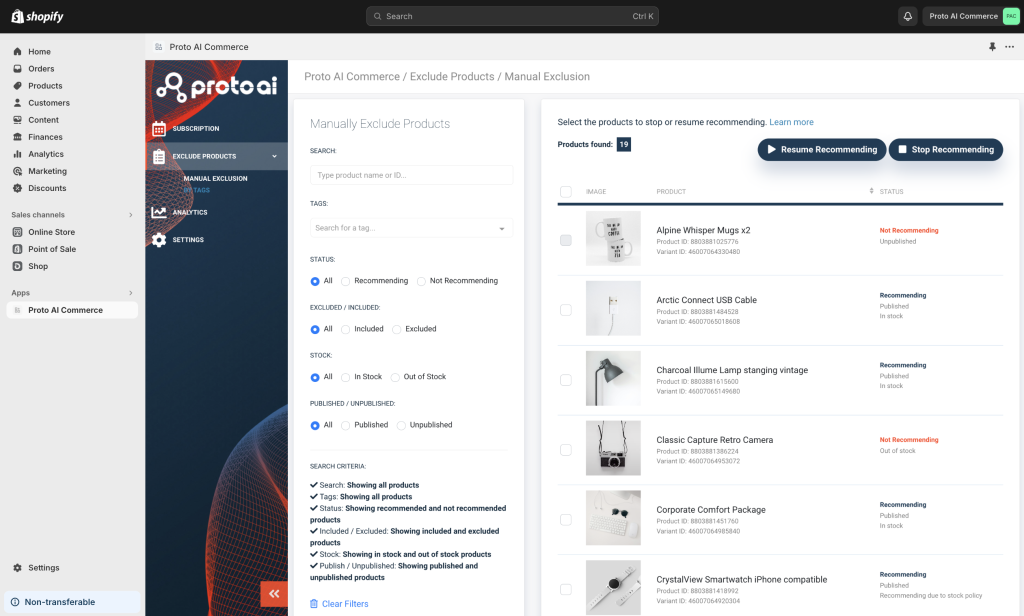
From your Shopify admin panel, navigate to Proto AI Commerce™ in Apps. Select ExcludeProducts from the left side panel:
With Proto AI Commerce™, you can manage your products recommendations by simply indicating which products you don’t want to be included in your recommendations.
By default, Commerce™ will use all products found in your Shopify products table for recommendations, unless:
Product is out of stock
Product is unpublished
If the product is out of stock or unpublished, it will be automatically excluded from the recommendation set.
To manually exclude certain products:
Select products from the “Product List” table
Click on “Stop Recommending” button
To manually include certain products:
Select products from the “Product List” table
Click on “Start Recommending” button
Automatically exclude products by tags
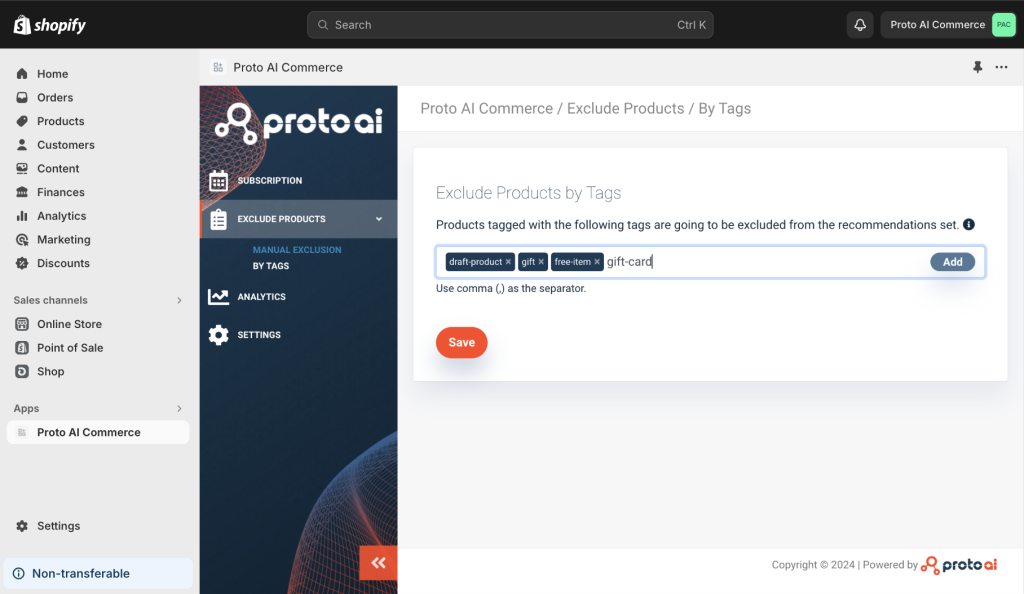
From your Shopify admin panel, navigate to Proto AI Commerce™ in Apps. Select Exclude Products and then By Tags from the left side panel:
Excluding products by tags are linked to the “Tags” that you can add to each product in Shopify. The AI will automatically exclude products with these tags from recommendations.
To add a tag, use the same tag name as used in your Shopify product organization. Once you’ve added all the tags that you wish to exclude, click on the “Save” button to submit the changes.
IMPORTANT: Tags are not case sensitive. This means that “TAG1”, “Tag1” or “tag1” will all be treated in the same way.
If you have any questions regarding to this content, contact us at support@proto.ai.