After you have clicked on the Install BigCommerce app button, you should be redirected to the BigCommerce marketplace. Click on “Get this app” to install the Proto AI Commerce App and follow the instructions.
Congrats! You have successfully created an account at Proto AI Commerce and installed the Proto AI Commerce app. Now, you should be able to see our setup instructions page, which includes a detailed explanation of how to insert the Proto AI Recommendations to your site.
Manage Products
Customize Widget
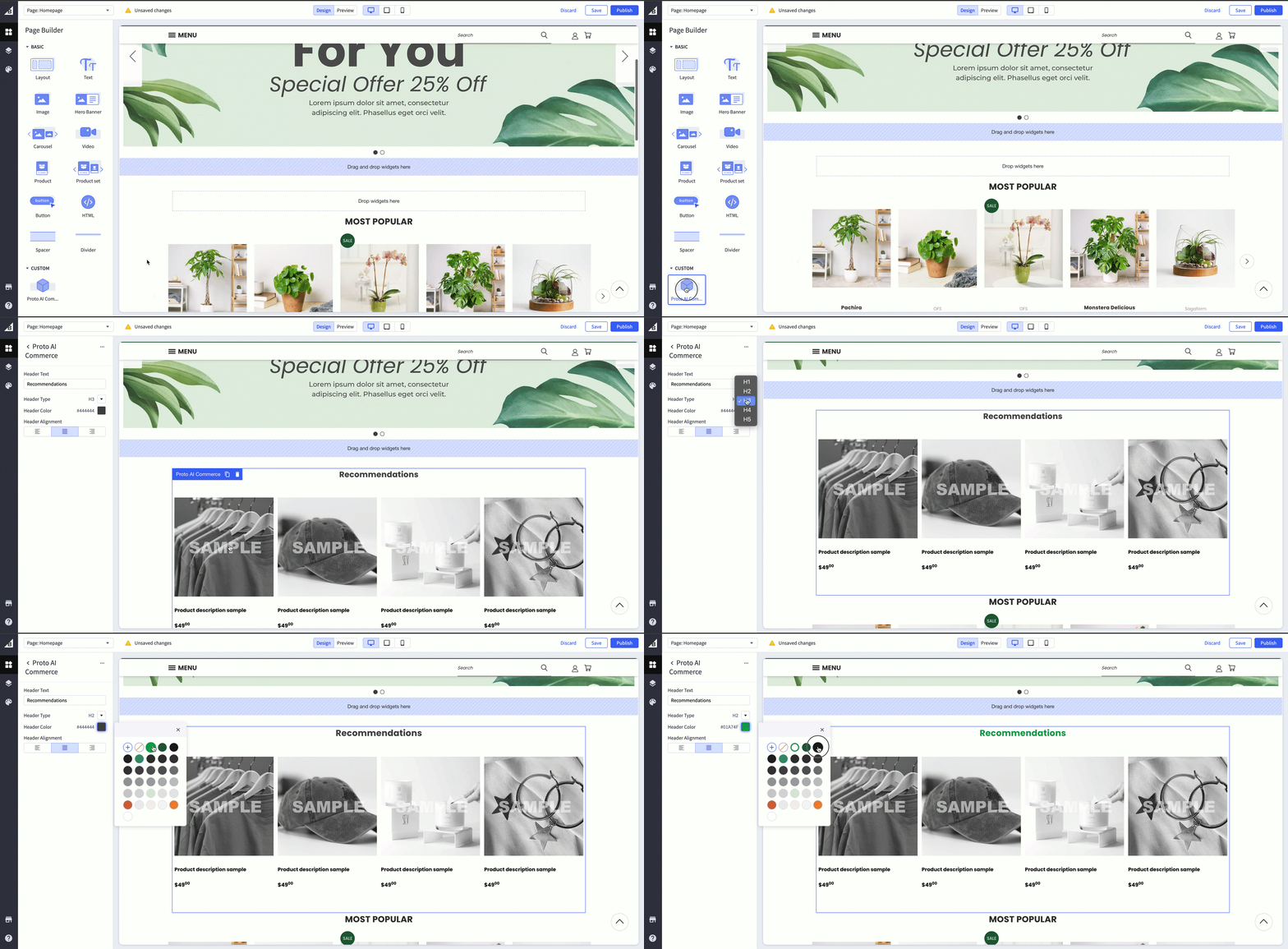
Go to your BigCommerce admin panel and inside the “Page Builder”, drag and drop the recommendation widget into your store pages.